-
Step 1: Open the setup
Go to Connections, Lead sources, Missed-call text-back, Set up. Choose your provider: Twilio, Exotel (India) or Other for any system that can call a URL.
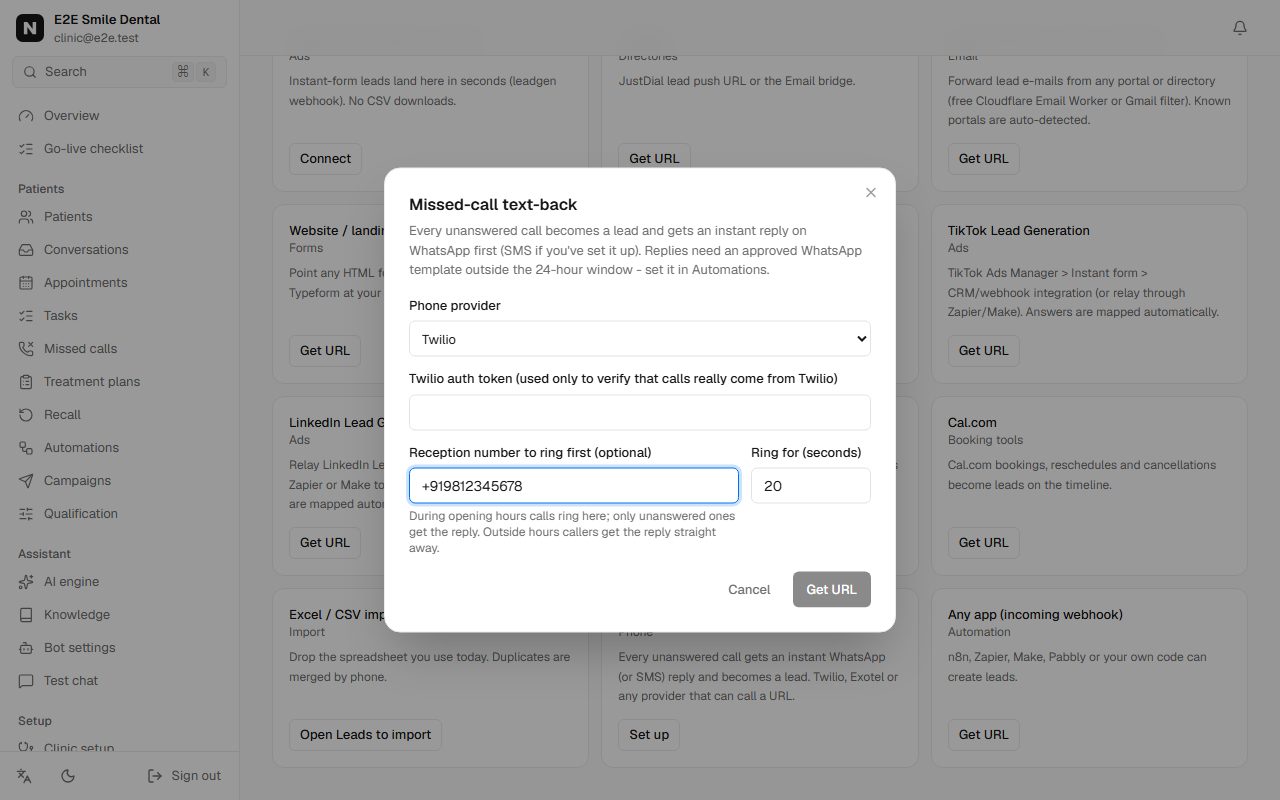
Missed-call text-back dialog with Twilio selected, auth token, reception number and ring time -
Step 2: Twilio: ring reception first
Enter your Twilio auth token (only used to check calls really come from Twilio), the reception number to ring and for how many seconds, then Get URL. In the Twilio Console, open your number, set "A call comes in" to Webhook, paste the URL with /voice added at the end, method HTTP POST.
- During your opening hours the call rings reception. Answered: nothing else happens.
- Not answered in time, busy or failed: the caller hears a short message and gets the WhatsApp reply.
- Outside opening hours: the reply goes out straight away.
Good to know: Already forwarding calls with your own Twilio flow? Use the URL without /voice as the Dial action or status callback URL instead.
-
Step 3: Exotel or another provider
Exotel: in App Bazaar, open your call flow and add a Passthru applet after the Connect applet, with the URL from Nomisly. Any other system: send a request to the URL for each missed call with the caller's number (from) and status (no-answer, busy, failed or missed).
-
Step 4: Test it
Call your number from another phone and let it ring out. Within seconds the WhatsApp reply arrives on the calling phone, and the call appears in Missed calls with what happened next.
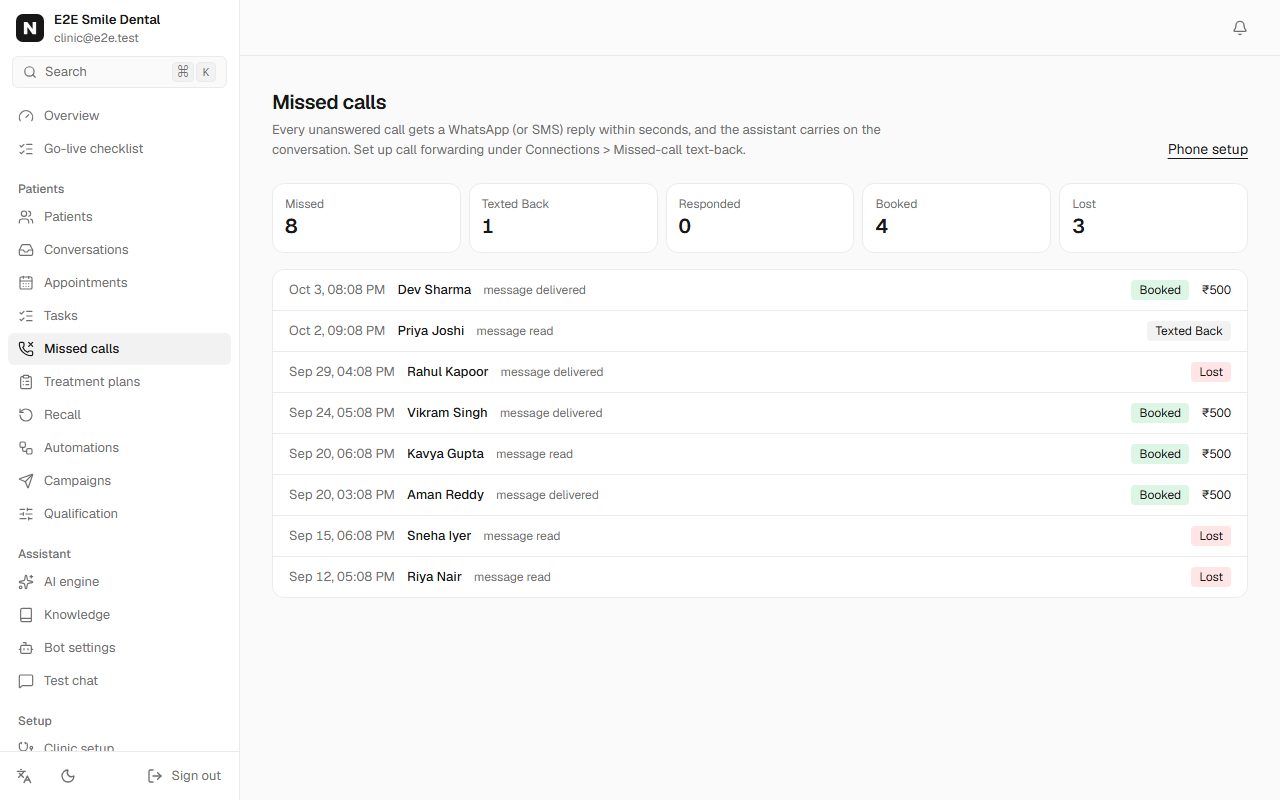
Missed calls list showing each caller, the reply sent and whether they booked You should see: The checklist ticks "Connect your phone line". The reply needs the approved missed-call template if the caller never messaged you before.
Frequently asked questions
What if the caller isn't on WhatsApp?
The reply goes by SMS if you have connected your own Twilio SMS sender; otherwise the call is still saved as a lead for your team to call back.
Will people who were answered get a message?
No. Only unanswered, busy or failed calls trigger a reply.