-
Step 1: Choose when reminders go out
Open Appointments, Booking page & rules. Tick the reminder times (for example 1 day before and 3 hours before) and edit the message if you like. {{name}}, {{service}}, {{with_doctor}}, {{when}} and {{business}} are filled in for each booking.
Customers reply 1 to confirm, 2 to reschedule or 3 to cancel. A cancelled slot is offered to your waitlist automatically.
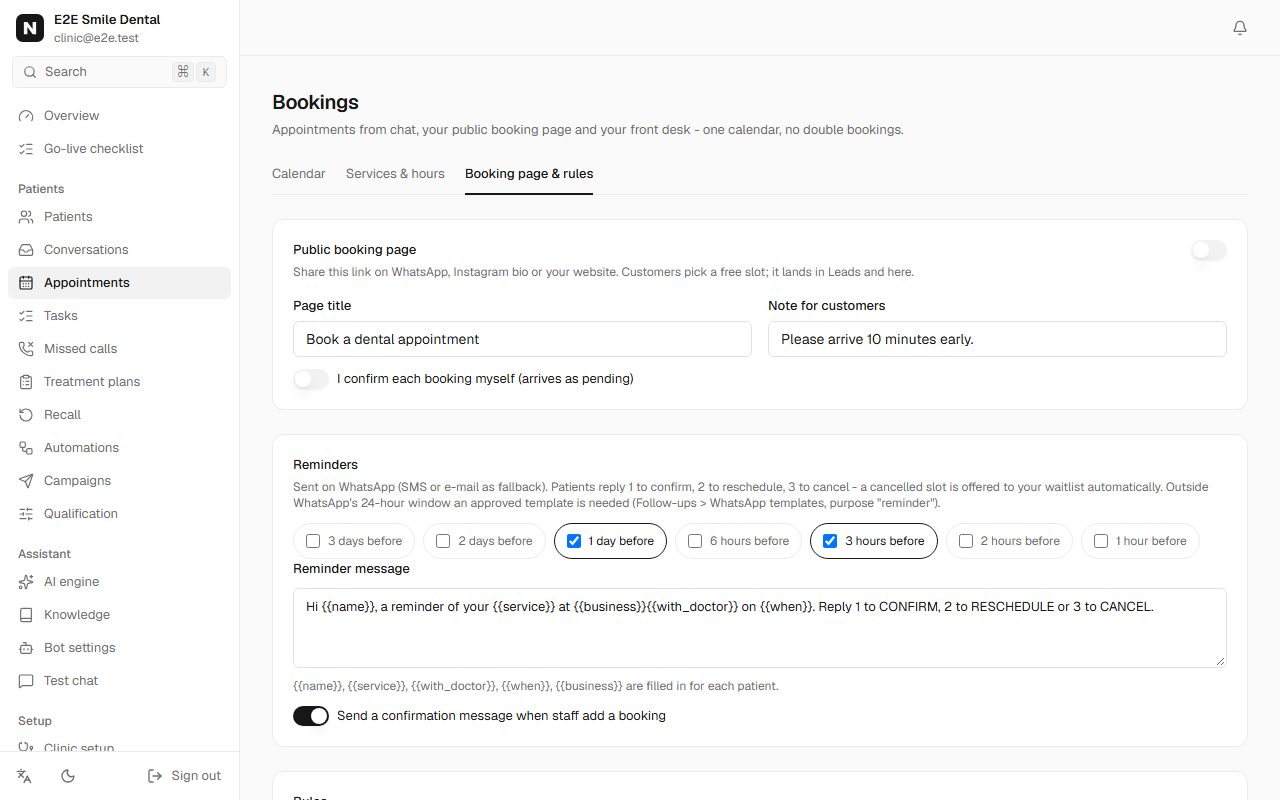
Reminder settings with 1 day before and 3 hours before ticked and the reminder message text You should see: The checklist ticks "Choose reminder times".
-
Step 2: Create the templates in one click
In Automations, WhatsApp templates, open Ready-made templates. Each one is already worded for its job and numbered the way Nomisly fills it in. Untick what you don't need and click Create and send for approval. They are created in your WhatsApp Business account, sent to Meta and mapped to the right message automatically.
- Reminders: {{1}} first name, {{2}} service, {{3}} date and time, {{4}} your business.
- Earlier-slot offers (waitlist): same order; the customer replies YES to take the slot.
- Patient form link: {{1}} first name, {{2}} business, {{3}} the form link.
- First reply, missed-call reply, follow-ups: {{1}} first name, {{2}} business.
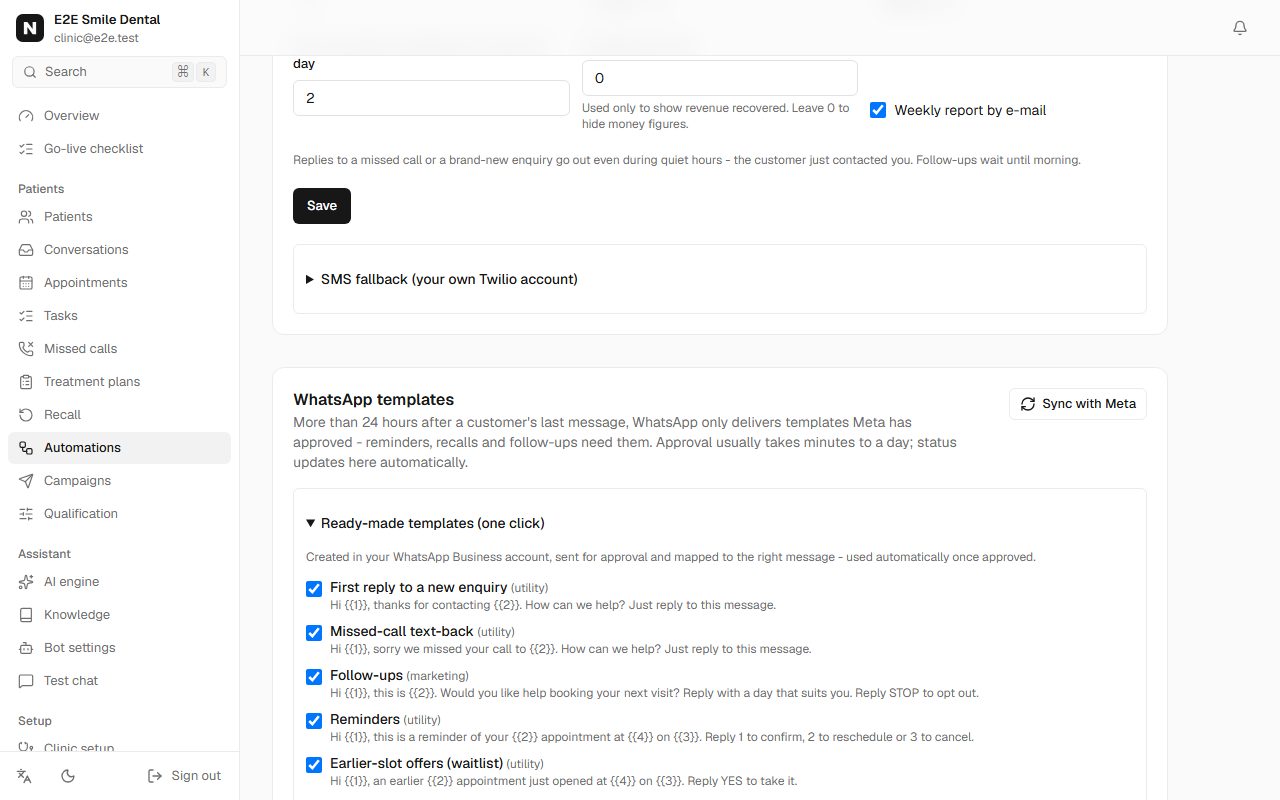
Ready-made WhatsApp templates with checkboxes and their message text -
Step 3: Wait for approval (it updates by itself)
Status moves from "Waiting for Meta" to "Approved" on its own - Meta notifies Nomisly. Sync with Meta pulls the latest status and imports templates you made directly in WhatsApp Manager.
You should see: Each template shows Approved and "for Reminders" (or its purpose).
Good to know: If one is rejected, Meta's reason is shown. The usual cause is promotional words in a utility template; keep reminders and form links purely informational.
-
Step 4: Set up follow-ups for leads who go quiet
Lower on the same page, Follow-ups lists short sequences (for example a nudge after 1 hour, another after 1 day). They stop by themselves when the customer replies, books or says stop. Quiet hours and a daily cap per customer are respected.
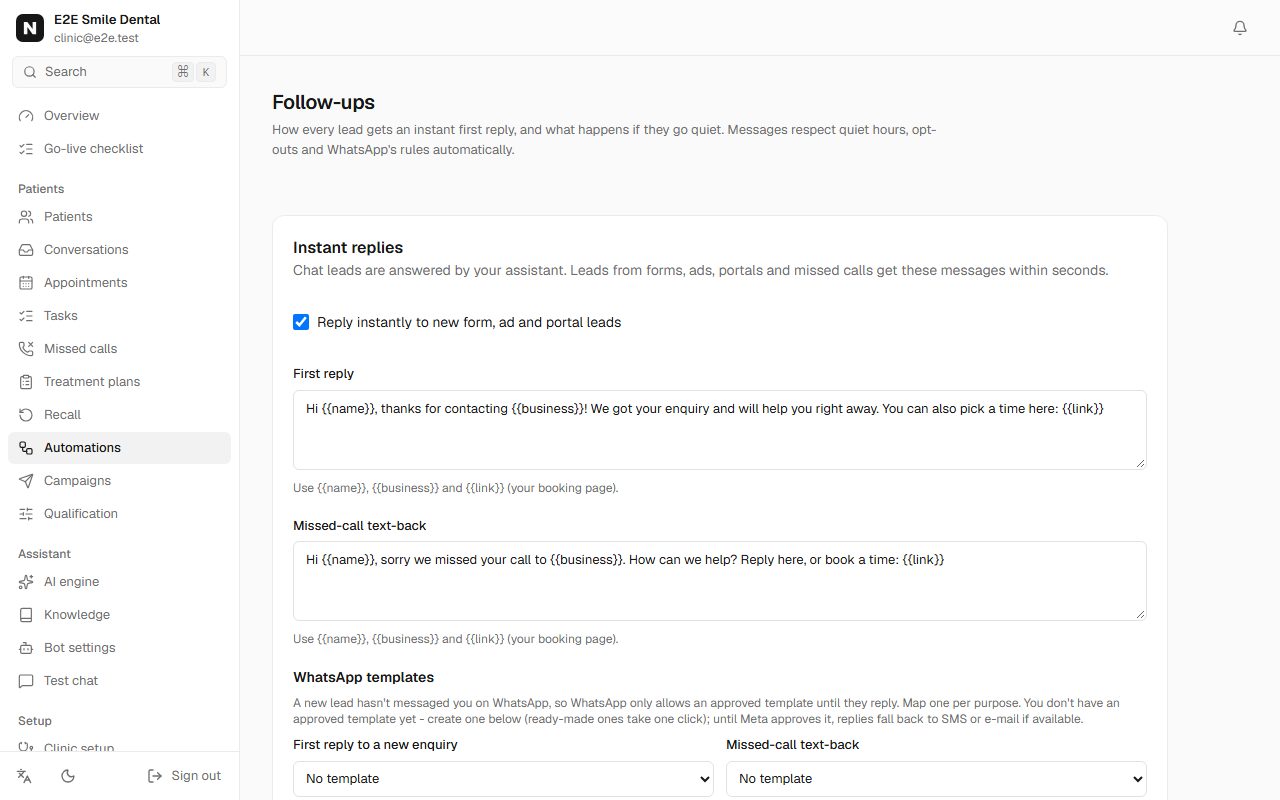
Follow-ups page with instant reply settings and template mapping
Frequently asked questions
Do reminders work without templates?
Only inside 24 hours of the customer's last message. A booking made today with a reminder tomorrow morning usually falls outside that window, so set the reminder template up before going live.
What if a customer has no WhatsApp?
Reminders fall back to SMS (if you connect your own Twilio) or e-mail (if the customer gave one).
Will customers get messages at night?
Follow-ups and campaigns wait for the end of your quiet hours. Reminders you scheduled and direct answers to something the customer just did (a missed call, a new enquiry, an earlier-slot offer that expires in minutes) go out at once.