-
Step 1: Try it in Test chat
Test chat shows exactly what visitors will see: your colours, greeting and the short "Before we start" form for name and phone, so every chat lands in Leads with a way to reach the person.
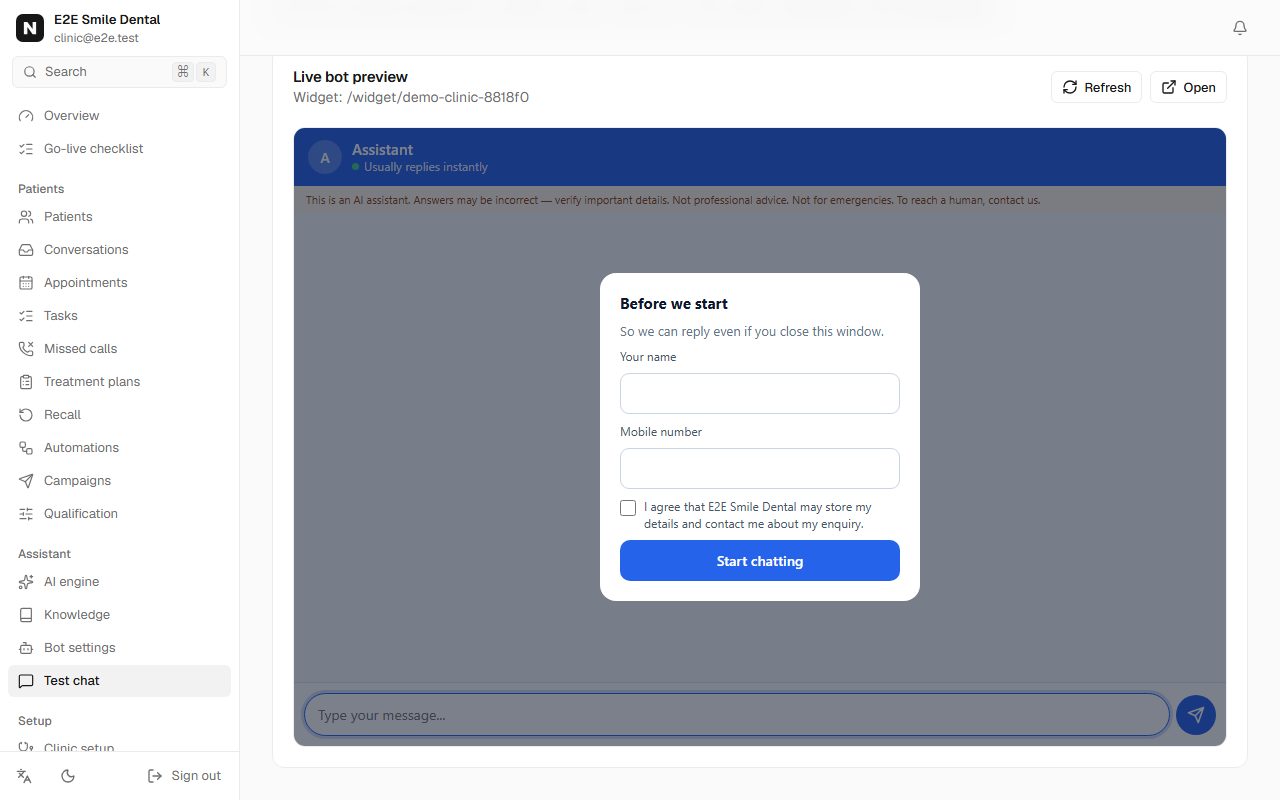
Live widget preview with the Before we start form asking for name and phone -
Step 2: Copy the embed code
In Bot settings, below the preview, copy the embed snippet. It looks like this (with your own workspace name):
<script src="https://app.nomisly.com/widget/loader.js" data-bot="your-workspace" defer></script> -
Step 3: Paste it into your site
Paste it once, site-wide, just before </body>.
- WordPress: a header/footer code plugin, footer section.
- Wix: Settings > Custom code > add to all pages, body end.
- Shopify: Online Store > Themes > Edit code > theme.liquid, before </body>.
- Squarespace: Settings > Advanced > Code injection > Footer.
You should see: Reload your site: the chat bubble appears in the corner. Send a message - it shows in Conversations, and the checklist ticks "Try the chat".
Frequently asked questions
Will it slow my site down?
The loader is deferred: it loads after your page and doesn't block it.
Can visitors book from the chat?
Yes. The same booking flow as on WhatsApp runs in the website chat, with the same calendar and no double bookings.