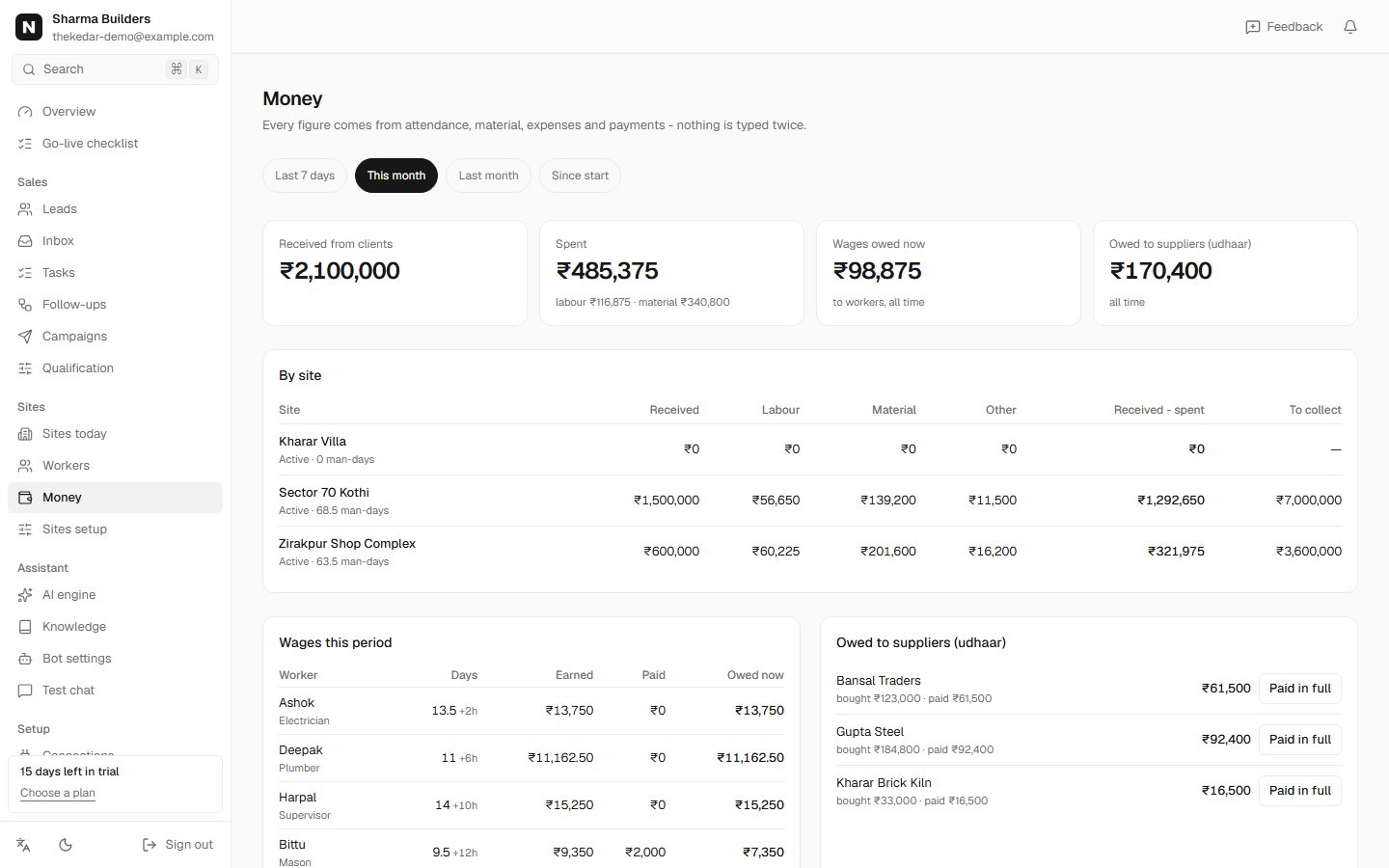
Profit per site, wages and dues
Where each number comes from
- Labour = each day's wage frozen when attendance was saved (present 1, half 0.5, plus overtime).
- Material = purchases into the site + material moved in - material moved out.
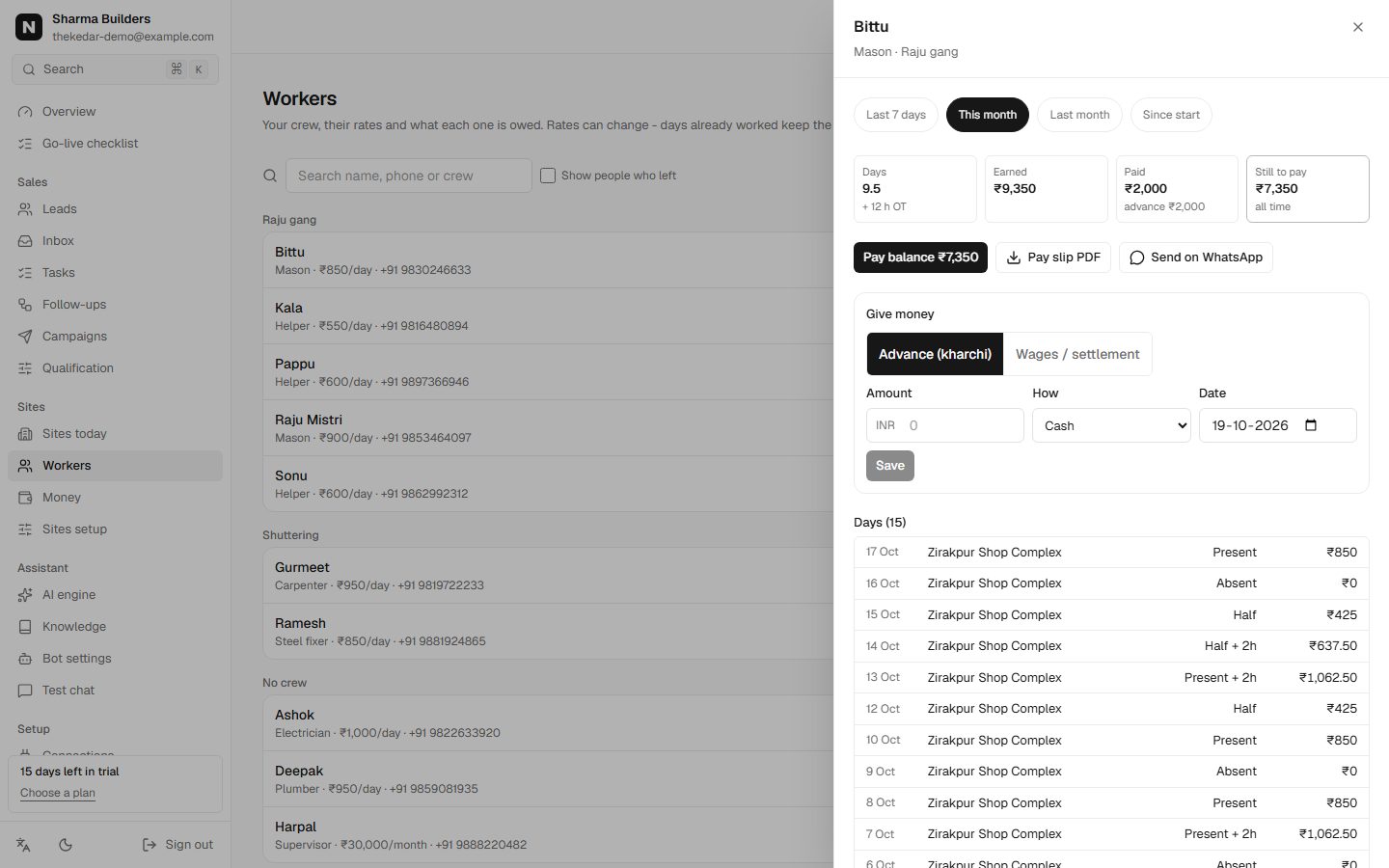
- Worker balance = everything earned - every advance and wage paid, all time.
- Nothing is typed twice: the same entries drive every screen and PDF.
Honest limits today
- No running bills (RA bills) or BOQ yet - record what the client paid against the contract value.
- No GST or TDS calculations; your accountant works from the statements.
- Workers aren't paid from inside the app - record what you paid in cash, UPI or bank.
Frequently asked questions
Can I send a worker their pay slip?
Yes - download the PDF, or press "Send on WhatsApp" to open WhatsApp with a short summary of their days, earnings, advances and balance.
Does it work outside India?
Yes. Pick your currency; overtime can be time and a half; the words switch from kharchi and muster roll to advance and attendance register.
Written by the Nomisly Product Team. Last updated .