The crew, marked at the site
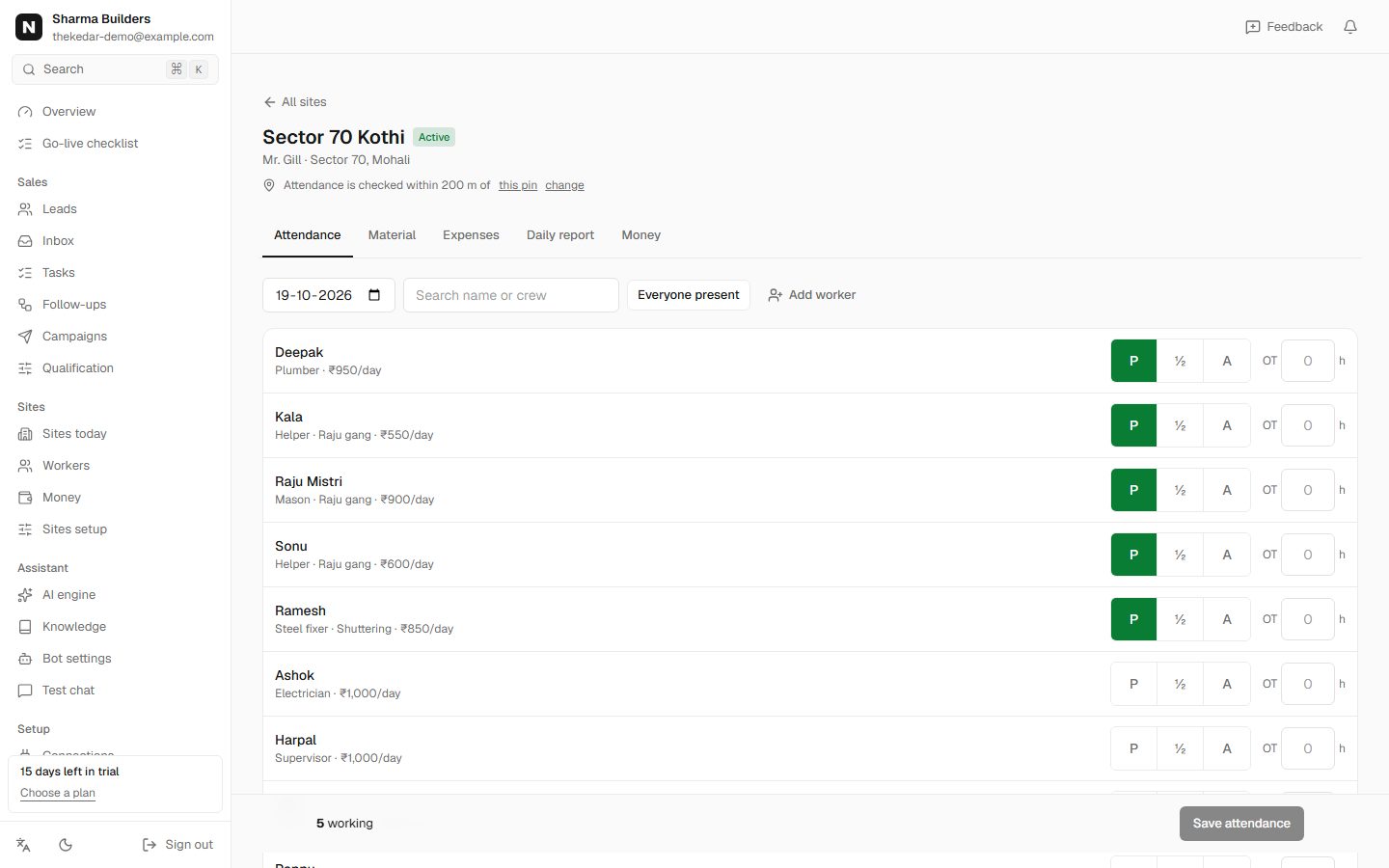
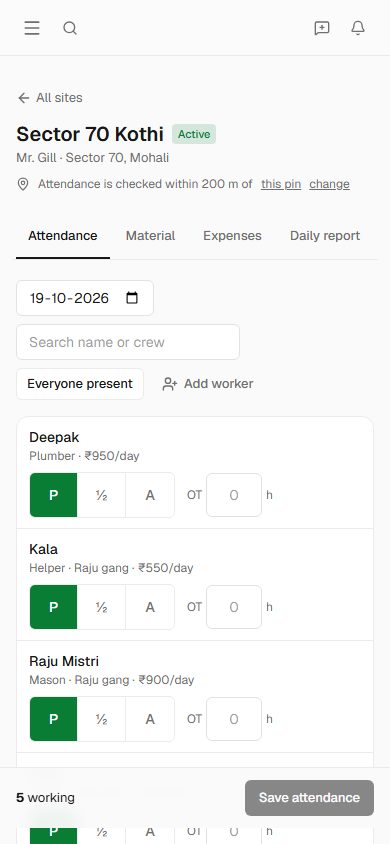
Made for real sites
- Big buttons that work with one thumb and a dusty screen.
- Supervisors can be limited to their own sites and never see money totals.
- Location is read only when attendance is saved - workers are never tracked.
- Works for India (daily wage, kharchi, muster roll) and for crews paid by the hour or day anywhere, in your currency.
Honest limits today
- It needs internet when you save; there is no offline mode yet.
- Phone GPS can drift by tens of metres, so "away from the site" is a flag for you to check, not proof.
- There is no selfie or face check; the supervisor marks the crew.
How a day works
- Add your crew once: name, trade, daily rate (or monthly salary) and crew / mukadam.
- At the site, open Attendance, tap P, ½ or A for each person, add overtime hours if any.
- Save - location is checked, wages for the day are worked out.
- Month end: download the muster roll PDF; pay slips are ready under Workers.
Frequently asked questions
Do workers need a smartphone?
No. The supervisor or owner marks everyone from one phone.
How is overtime paid?
An overtime hour is the day's wage divided by the hours in your working day, times your overtime rate (1x, 1.5x...). You set both once.
Can a worker be on two sites the same day?
A worker is counted once a day. A manager can move them to another site; a site supervisor can't take someone already marked elsewhere.
Is location tracking legal for my workers?
Nomisly reads the phone's position only at the moment attendance is saved, to compare it with the site - it never follows anyone. Tell your team this is how attendance is checked.
Written by the Nomisly Product Team. Last updated .