Beta
LinkedIn leads in the same list
How it works
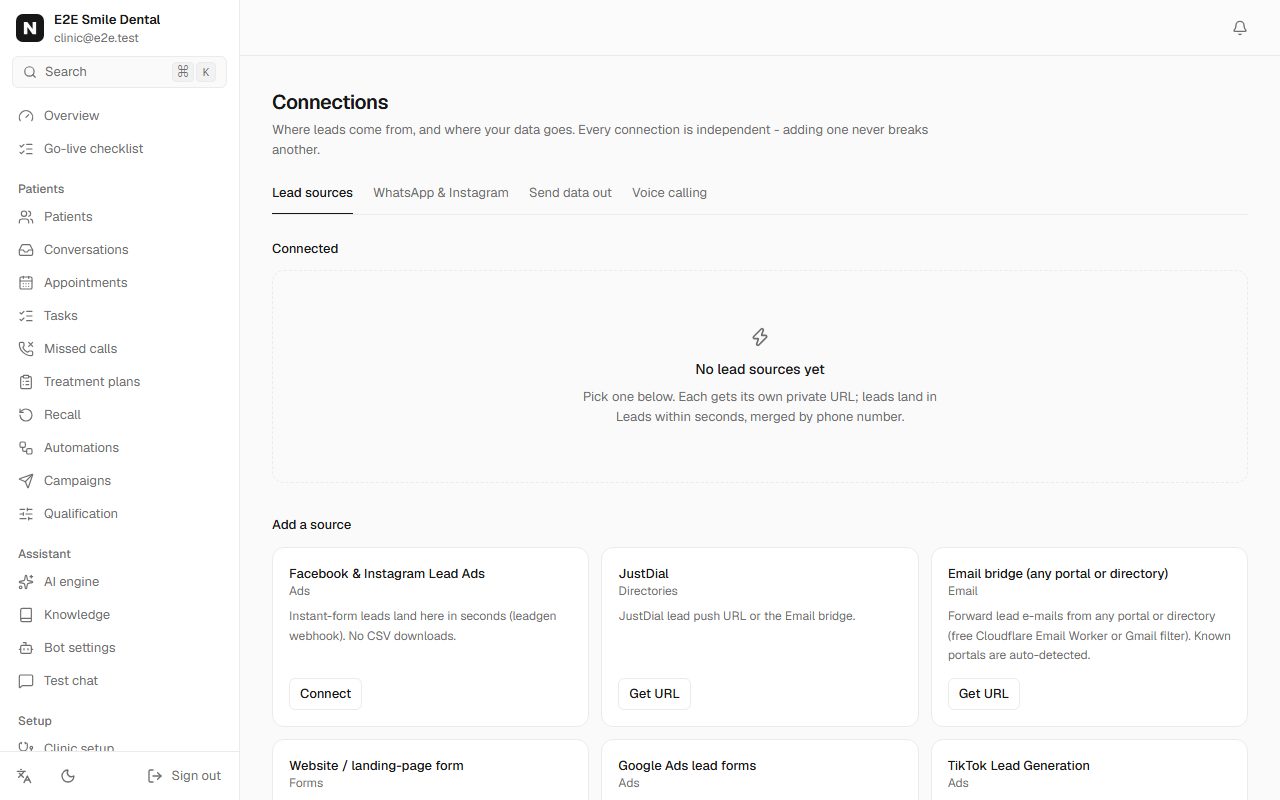
- Nomisly → Connections → Lead sources → LinkedIn Lead Gen Forms → copy your private webhook URL.
- Zapier: trigger "New Form Response" (LinkedIn Lead Gen Forms) → action "Webhooks by Zapier - POST" to that URL. Make: "Watch new leads" → HTTP request.
- Send a test lead: it appears in Leads with source LinkedIn Ads and every answer as a field.
- Optional: Connections → Send data out → Google Sheets or Slack, to copy every new lead there too.
Limits and requirements
- Needs a Zapier or Make plan that includes LinkedIn Lead Gen Forms (LinkedIn's API is partner-only).
- Leads arrive when the automation runs - usually within a minute or two.
- A native connector will follow once LinkedIn partner access is granted.
Frequently asked questions
Can I send LinkedIn leads to Google Sheets?
Yes - either straight from Zapier, or through Nomisly (Send data out → Google Sheets), which also replies to the lead and scores it.
Can LinkedIn leads get a WhatsApp reply?
Yes, if the form collects a phone number and your WhatsApp is connected; otherwise Nomisly replies by e-mail.
Written by the Nomisly Product Team. Last updated .