Money in, money out, balance
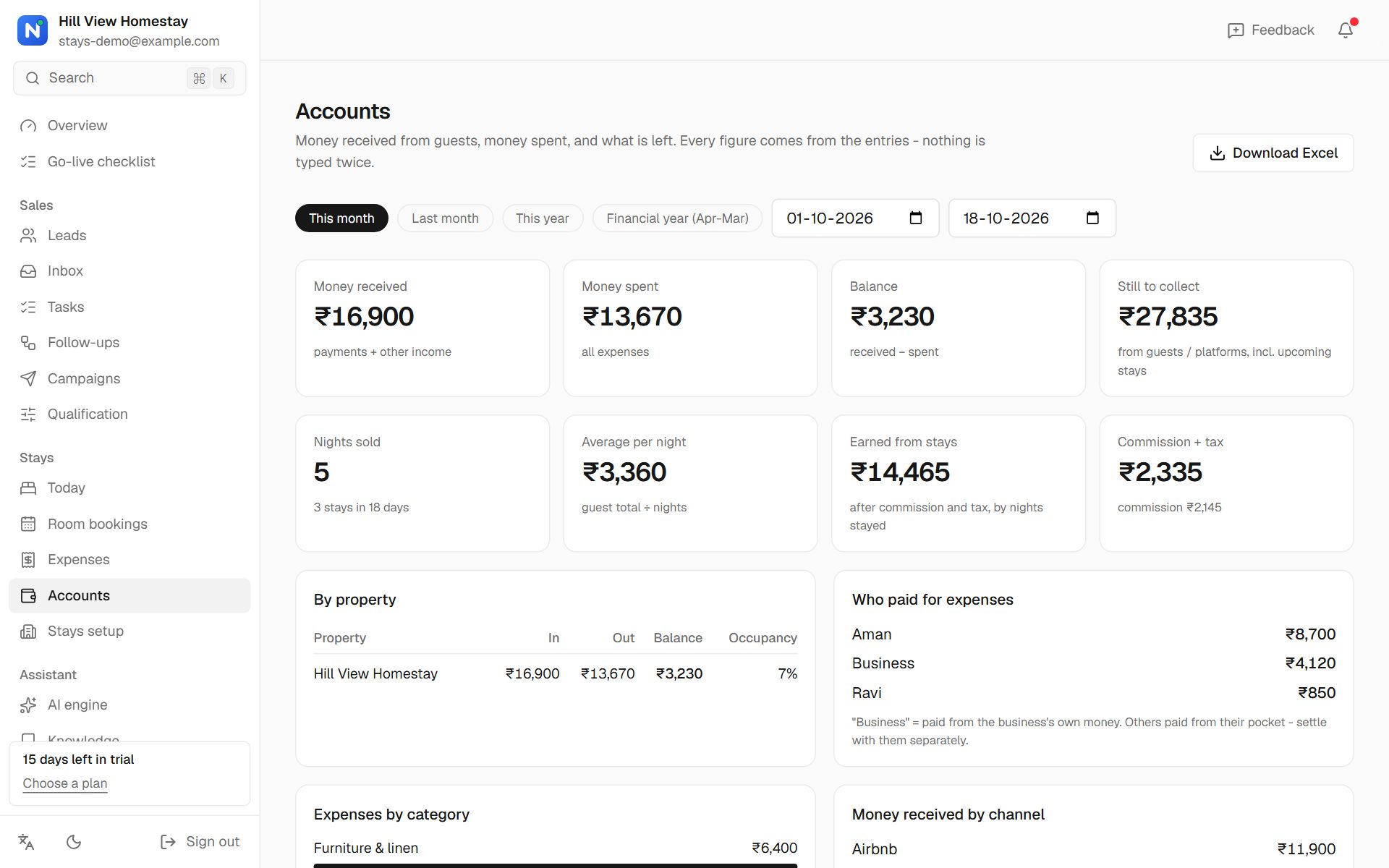
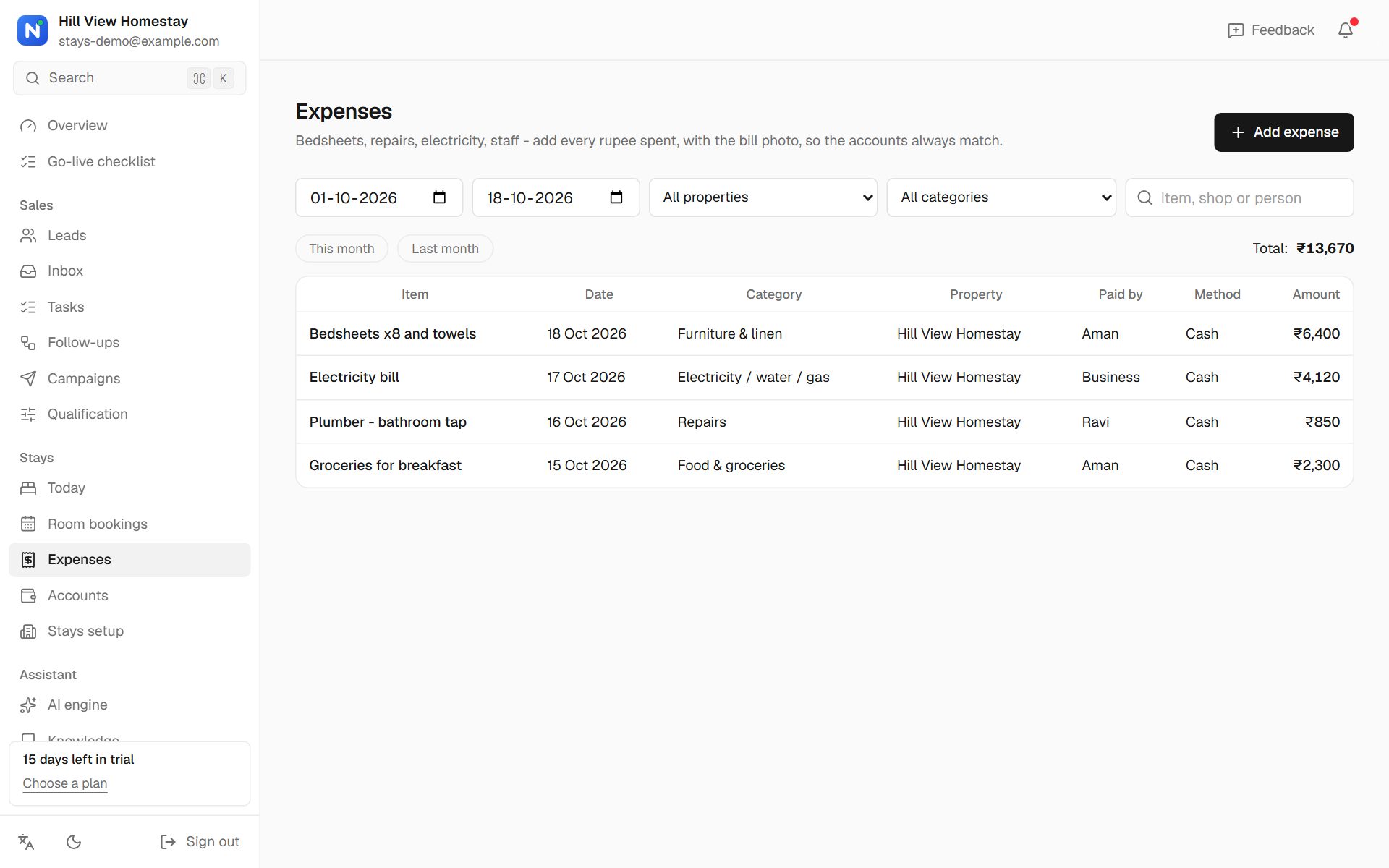
Two honest views
- Cash: money that actually came in and went out, by the date it moved.
- Bookings: nights stayed in the period, with each booking's money spread over its nights.
- Amounts in different currencies are never added together.
Made so numbers can't change quietly
- Every change goes to a permanent audit log with the old and new amount.
- Staff can enter bookings and expenses but don't see business totals; the owner, admins, managers and read-only partners do.
- A booking with money recorded can be cancelled, not deleted, so history stays complete.
How the hisaab works
- Add the booking with its total, platform commission and tax.
- Record each payment the day it arrives - the booking shows what is still to collect.
- Add every purchase or bill as an expense, with the bill photo saved in your Google Drive.
- At month end open Accounts, check it with your partners, download Excel and close the month.
Frequently asked questions
Can I bring my old Excel sheet?
Yes. Import bookings and expenses from .xlsx or .csv; headings like Naam, Room No, Kharcha and Kisne diya are understood, and anything else can become your own column.
Can the statement be sent automatically?
Yes, as a paid add-on: pick the day and time, and last month's statement PDF goes to the people you choose on Telegram (free), by e-mail, or on WhatsApp as a private link (WhatsApp charges per message). Only people whose role can see the accounts can receive it.
Does it replace my accountant?
No. It gives your accountant clean, complete records and an Excel file; tax filing stays with them.
Can partners see the accounts?
Invite a partner as admin or manager, and your accountant as read-only. All three see the accounts, the monthly statement and the Excel export; only the owner can close a month.
Written by the Nomisly Product Team. Last updated .